Monday, June 29, 2015

SG Supermarket: Version 1.2.8.1 Released!

Today we have released a new update for SG Supermarket, we have added the missing share option in the image viewer. In addition, we have also changed the text template of the share option.

Please continue to support us by rating our app and feel free to give us feedback through the review system. SG Supermarket can only get better with your help. Before you give us a bad review, please email us at khubite@outlook.com and let us know what we can be doing better.

Thanks!
Wei Kang
+khubite team

Watch Online: The Last Ship (Season 2, Episode 3)


Season 2 episode 3 of the The Last Ship is released. Click here to watch now!

Sunday, June 28, 2015

SG TV Guide: New Release of Version 1.1.4


Finally, after the new release yesterday, we are starting to get new users downloading our app. The new release of SG TV Guide fix the error while retrieving the latest tv listing from the server. And now we are left with 34 more download to reach 200 downloads!

A big thank you to all of my users.

Please continue to support us by rating our app and feel free to give us feedback through the review system. SG TV Guide can only get better with your help. Before you give us a bad review, please email us at khubite@outlook.com and let us know what we can be doing better.

Thanks!
Wei Kang
+khubite team

Saturday, June 27, 2015

SG TV Guide: Version 1.1.4 Released!


Recently, users have been experiencing issue retrieving the latest tv listing from the server. Today we have released version 1.1.4 that resolve the issue.

One feature, Now Plus Next, has been removed.

Please continue to support us by rating our app and feel free to give us feedback through the review system. SG TV Guide can only get better with your help. Before you give us a bad review, please email us at khubite@outlook.com and let us know what we can be doing better.

Thanks!
Wei Kang
+khubite team

Tuesday, February 17, 2015

Stuck with Microsoft Basic Display Adapter

Problem

Unable to install ATI Graphics display driver while using Windows 8.1. It seems that the latest driver for Radeon HD 4200 Series does not support Windows 8.1. The software will install all the software except the display driver.

Solution

  1. Download and install the software from the official site as per normal.
  2. Go to Device Manager.
  3. Open up Display adapters.
  4. Right click Microsoft Basic Display Adapter and select Properties.
  5. Select Driver tab and click update Driver.
  6. Select Browse my computer for driver software.
  7. Browse to C:\AMD\AMD_Catalyst_13.4_Legacy_Beta_Vista_Win7_Win8\Packages\Drivers\Display\W86A_INF and click Next.
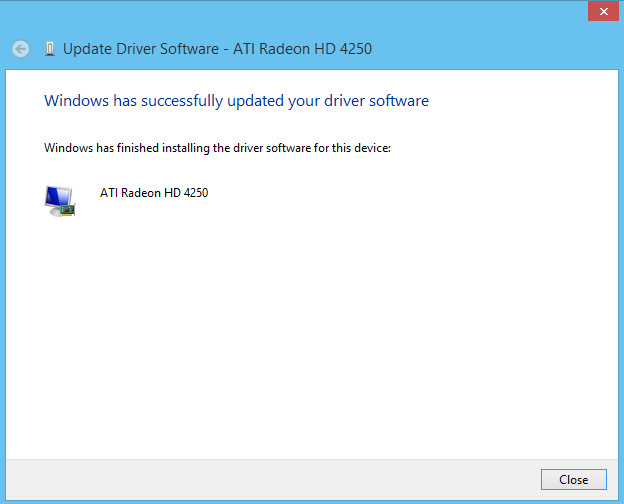
  8. Now you should have successfully installing the graphic driver.

Sunday, February 8, 2015

Android App Size

Size for App icon

  • LDPI - 36 x 36
  • MDPI - 48 x 48
  • HDPI - 72 x 72
  • XHDPI - 96 x 96
  • XXHDPI - 144 x 144

Size for Splash Screen

  • LDPI
    • Portrait: 200x320 px
    • Landscape: 320x200 px
  • MDPI
    • Portrait: 320x480 px
    • Landscape: 480x320 px
  • HDPI
    • Portrait: 480x800 px
    • Landscape: 800x480 px
  • XHDPI
    • Portrait: 720x1280 px
    • Landscape: 1280x720 px

Tuesday, December 23, 2014

Android:How to create a "Card" UI

Android Developer Tips & Tricks: Creating a "Card" UI: The newest version of most Android apps published by Google have started featuring "cards."  Many other popular apps are also foll...